2DFactory
A downloadable tool
2DFactory
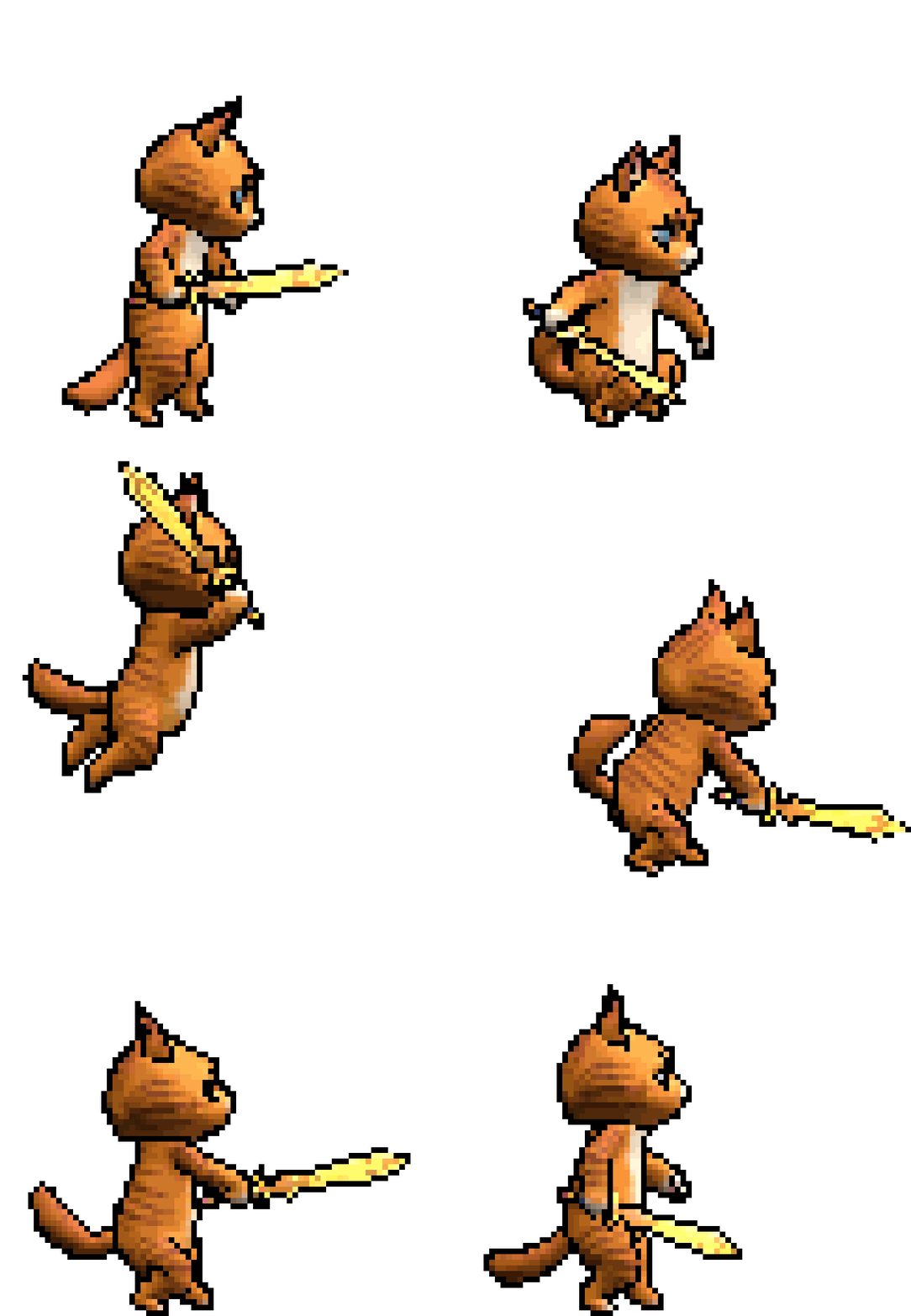
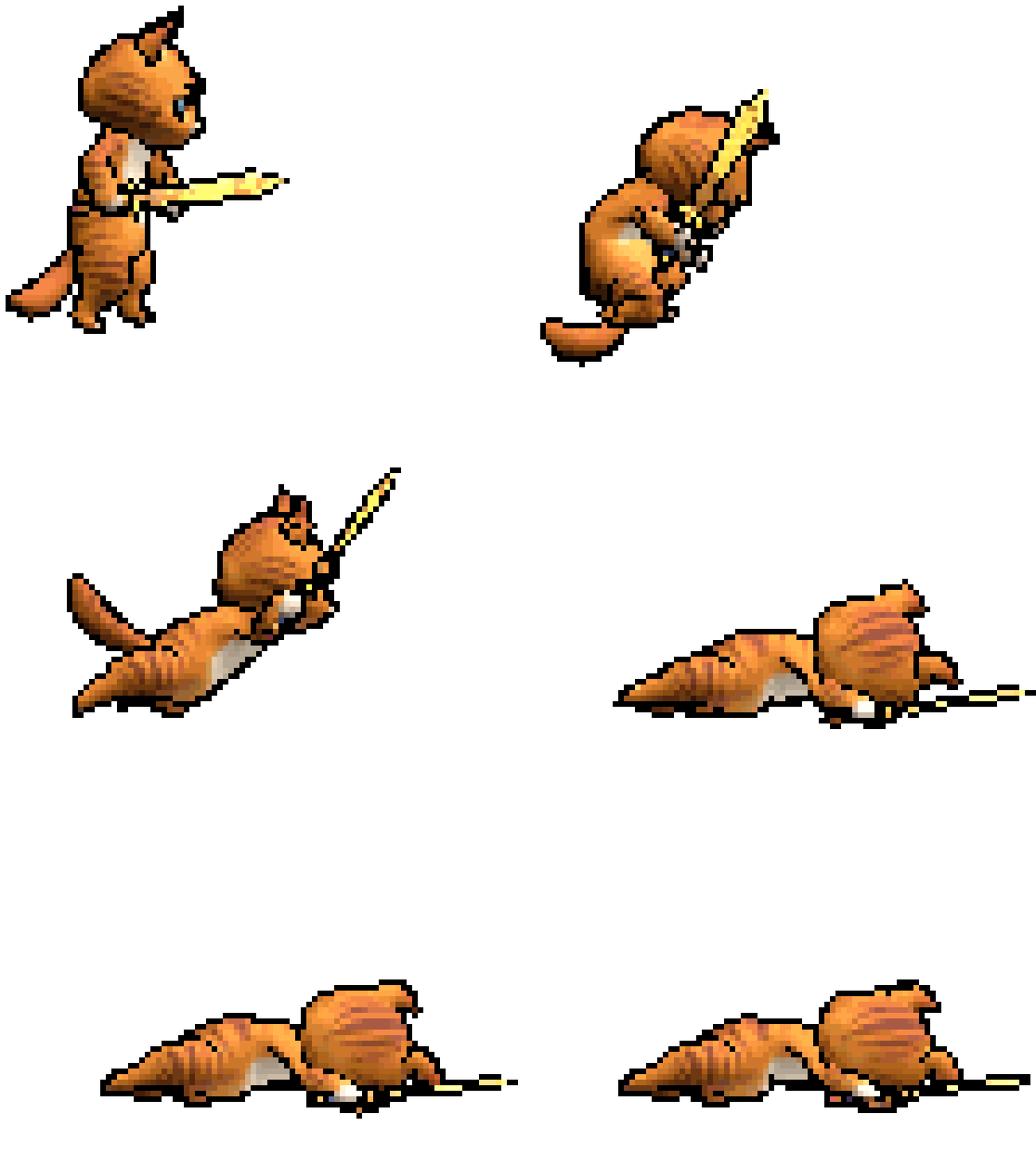
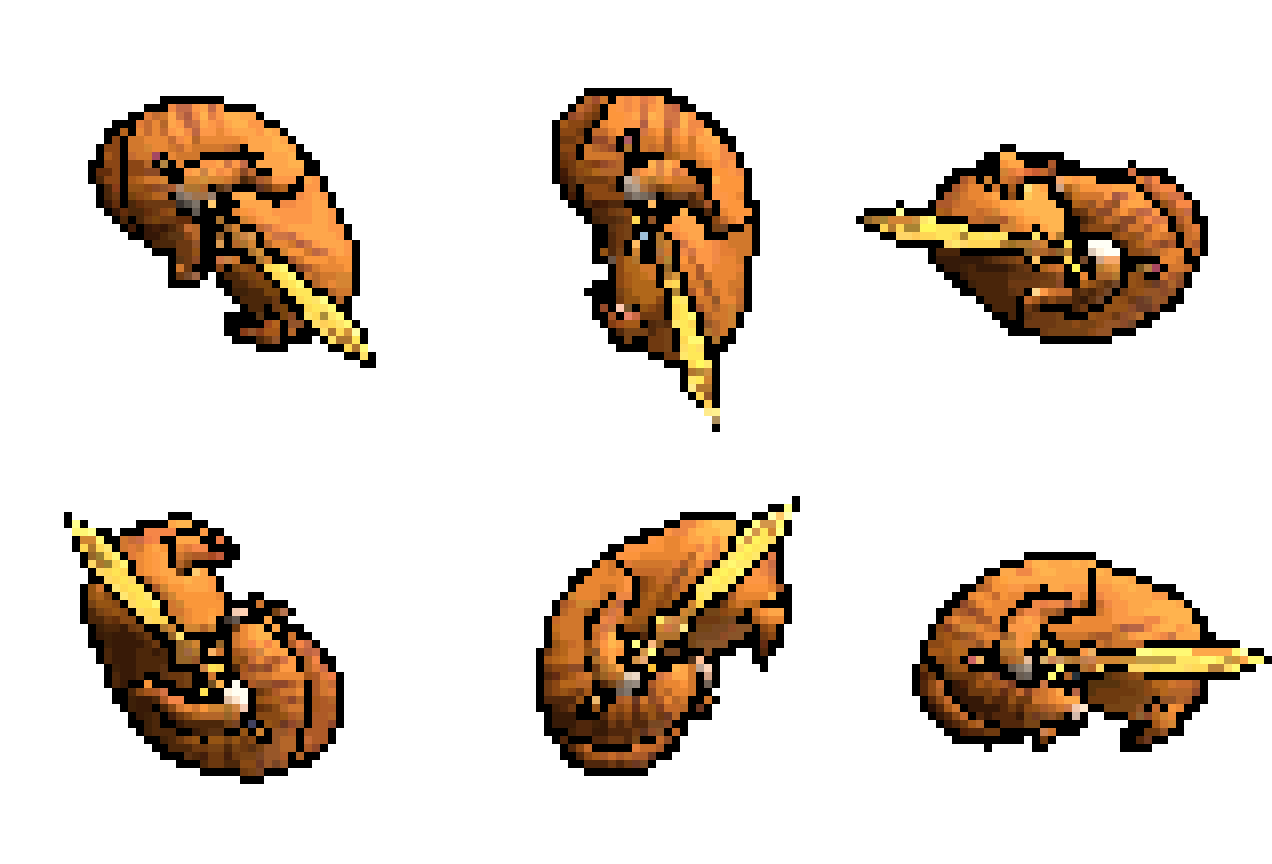
Creating sprite sheets from 3D models can be time-consuming and repetitive. 2DFactory, as a Blender add-on, was built to remove that hassle. With just a few clicks, you can turn any Blender 3D model into a clean, game-ready sprite sheet. 2DFactory include many features: baking texture, modular sprite sheet, pivot placement control, direct pixel measurement in camera view (2D ruler), produce GIF file, produce JSON, progressive sheet creation, modular feature, socket feature, power-of-two output, etc.
UPDATE to v.1.2.0:
Changes:
- Compatibility is extended to Blender 5.1
- Added new feature, Socket Coordinate Placement. Users can now define precise, frame-by-frame coordinates in 2DFactory (Blender) and export them to a JSON file. These coordinates can be used as sockets in game engines for attaching 2D or 3D objects.
- Added support for MacOS and Linux, using 2DFactory online installation.
- Reworked Separate Sheet Mode. Now, instead of encoding the metadata in action sheet filename, every action folder now includes .json file. So, it is expected that user extract the sprite sheet metadata from the .json file instead.
- Single sheet mode can now use "Sprite Sheet Width Limit" field in Export Settings Panel, allowing it multiple row per action (previously, only 1 row is allowed per action).
- Corrected pivot axis (+Y axis up, -Y axis down, +X axis right, -X axis left).
- Due to changes in 2DFactory v1.2.0, the UE plugin is also reworked to make them compatible and to support rapid workflow. See the documentation 1.2.0 for more detail.
The one who already bought the 2DFactory before the update, will get the updated version for free. Refer to this page and feel free to download it.
Future Plans:
- Adding more version support for 2DFactory Unreal Engine Plugin (Unreal Engine version 4.27 to 5.7).
- Adding feature Post Edit Panel, which allows users to edit the produced sprite sheet (e.g. deleting and control row/column position of the action sheets).
Highlight: Modular Sprite Creation
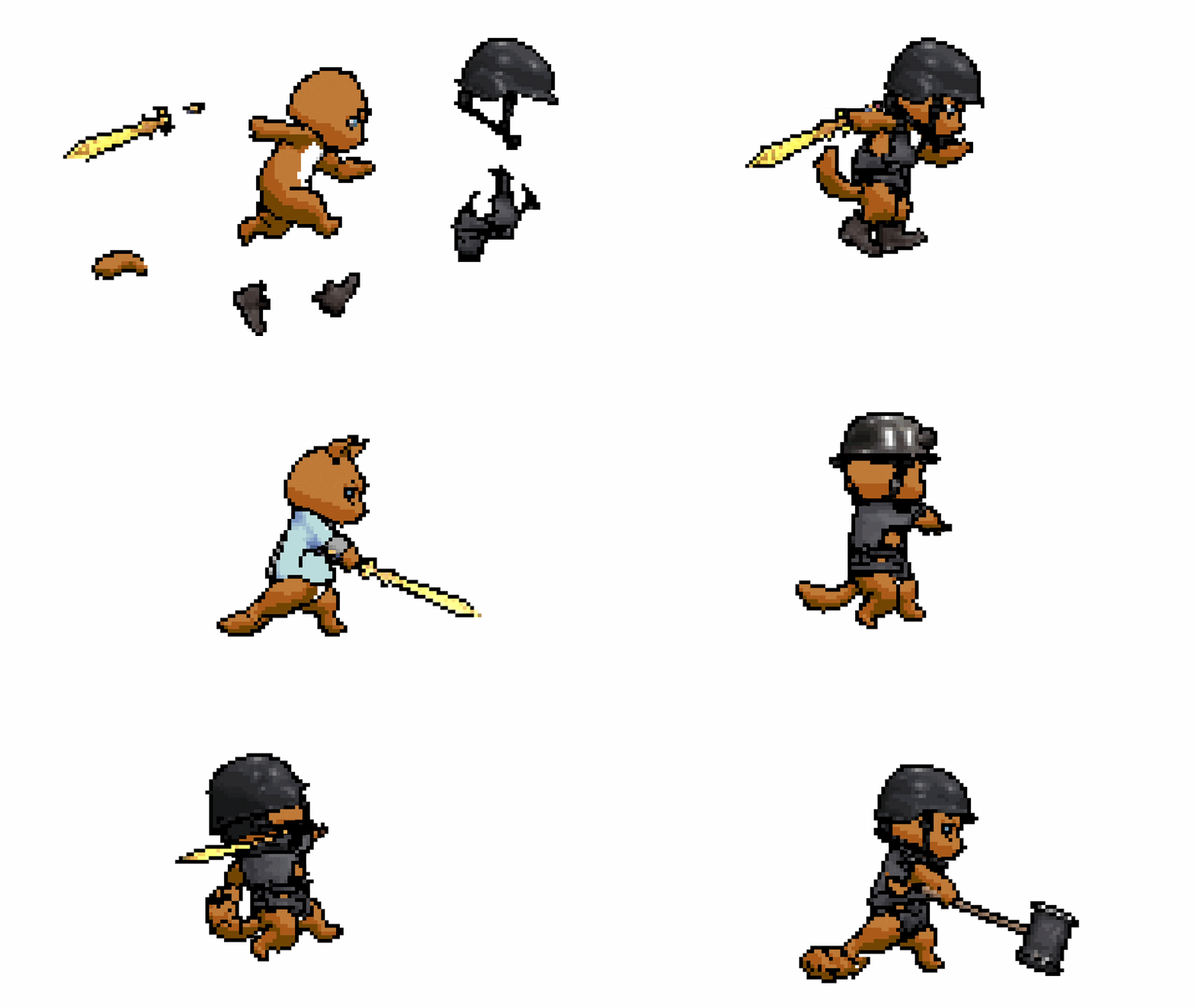
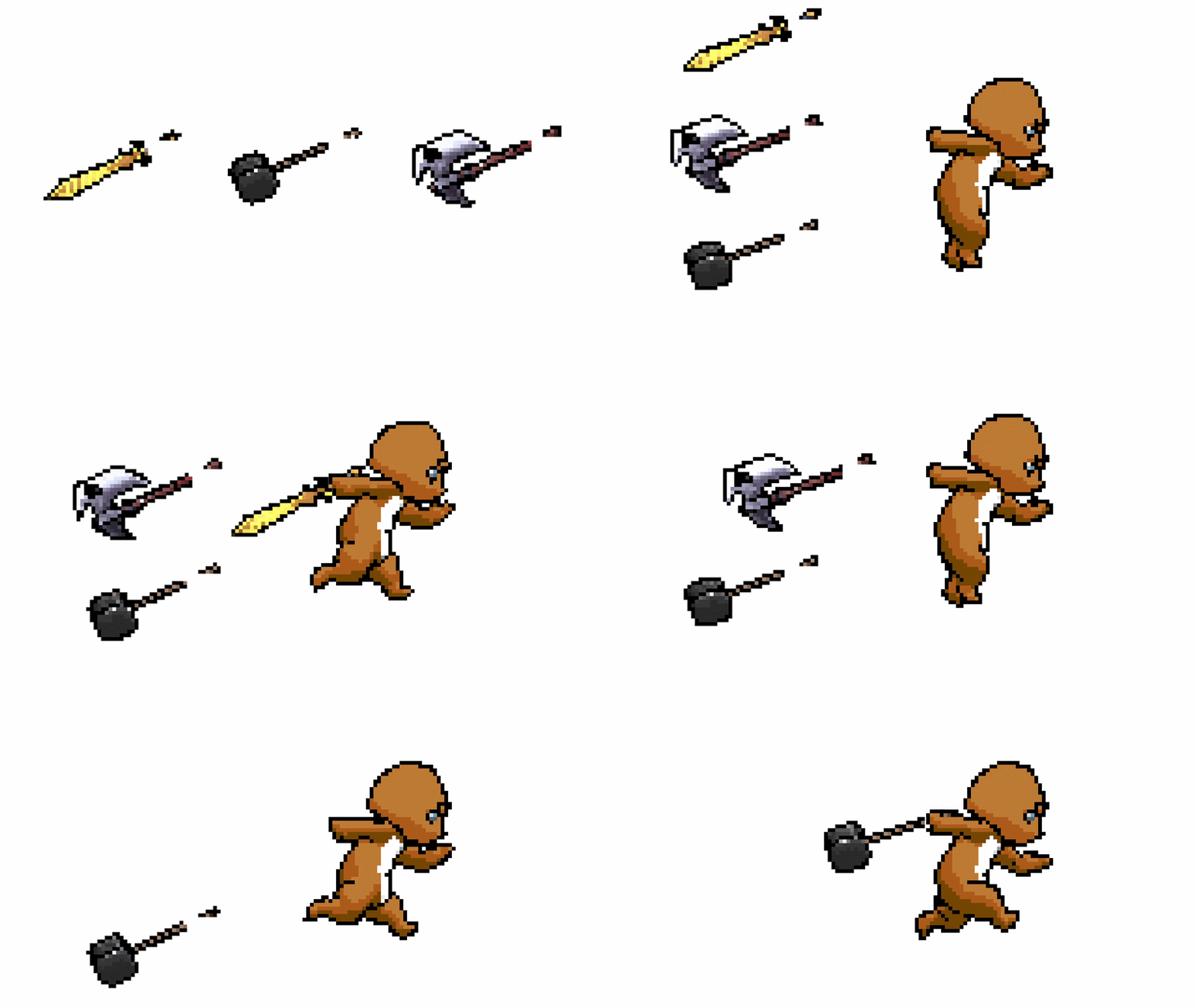
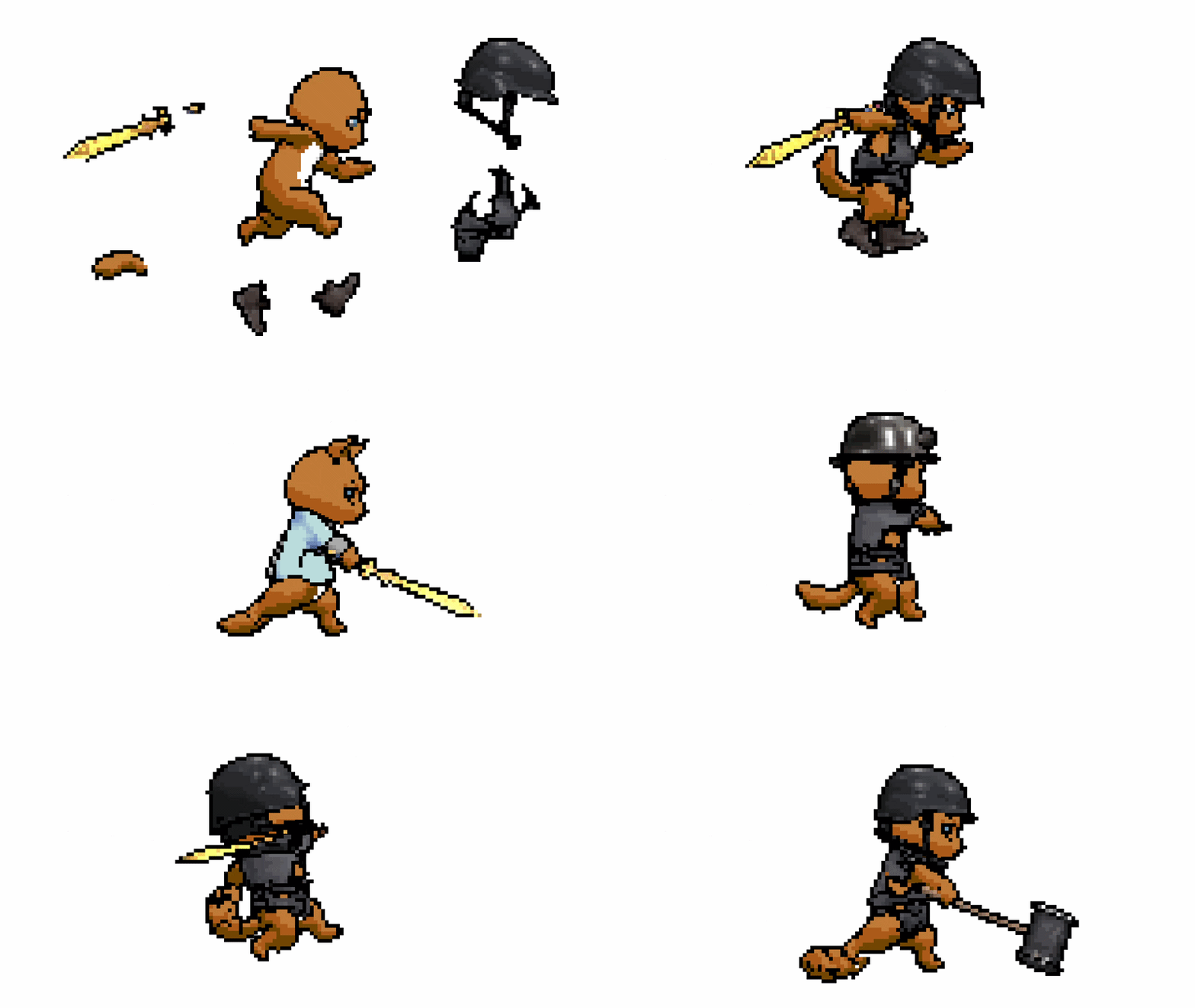
To the best of current publicly available tools, this is the only Blender add-on so far that has one feature that allows for modular sprite sheet creation within a full 2D character + equipment workflow—where characters and their gear are generated as independent yet fully compatible render components.
Check out the documentation for how to do it with 2DFactory
Precise Camera Angles, Every Time
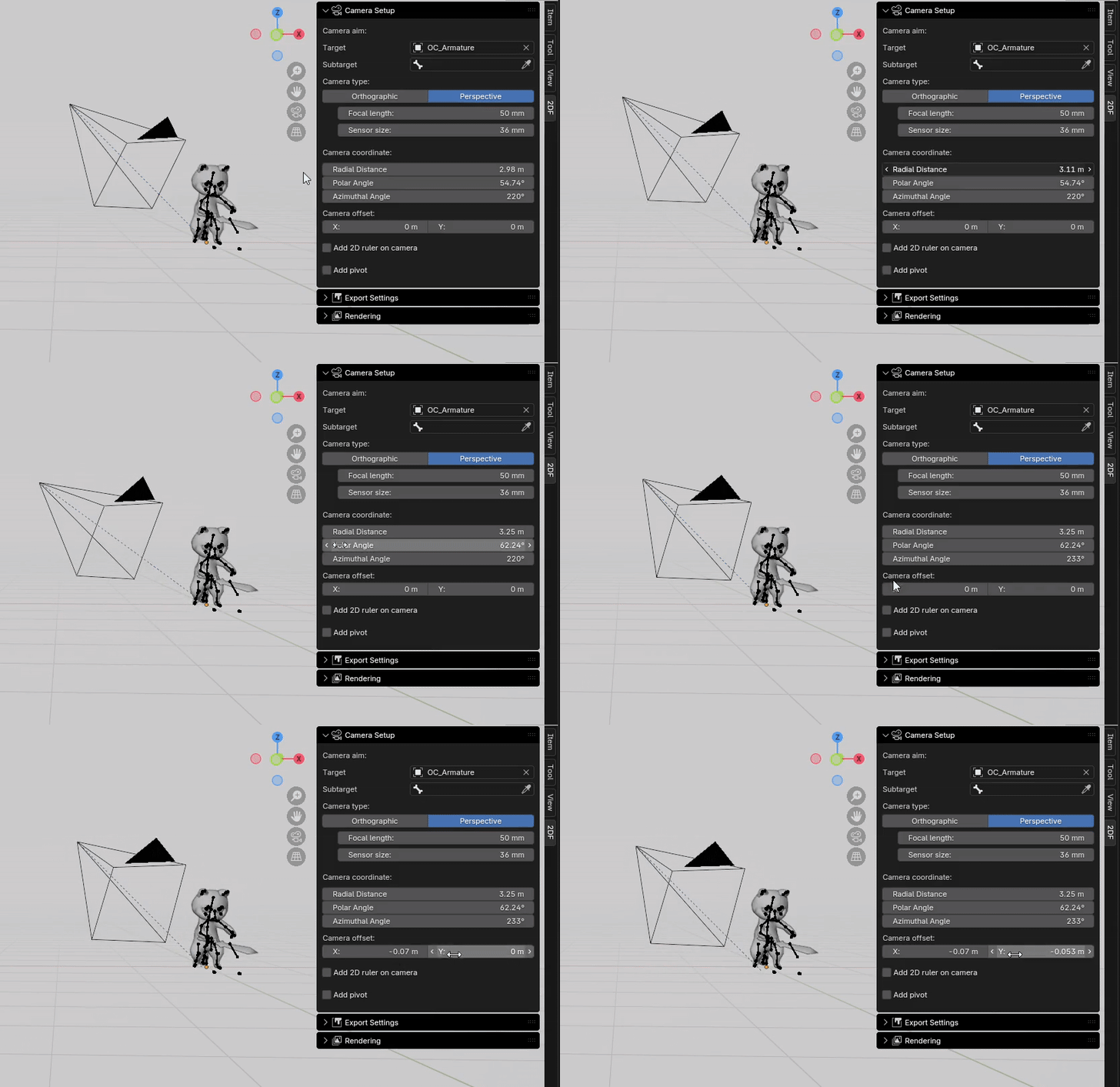
Forget endlessly rotating and zooming your camera by hand, trying to “eyeball” the perfect angle. With this add-on, you no longer rely on guesswork — the camera is positioned by five precise variables. Radial Distance, Polar Angle, and Azimuthal Angle set the main view, while Camera Offset fine-tunes the frame (see Fig. 1).
This guarantees consistency across every render. If you need the exact same side view, isometric angle, or top-down shot for multiple actions or characters, you can simply re-use the same values. For example, Polar Angle near 90° locks in a perfect side-scroller perspective, while 54.74° gives you true isometric projection.
Measure Sprite Pixel Size in Blender
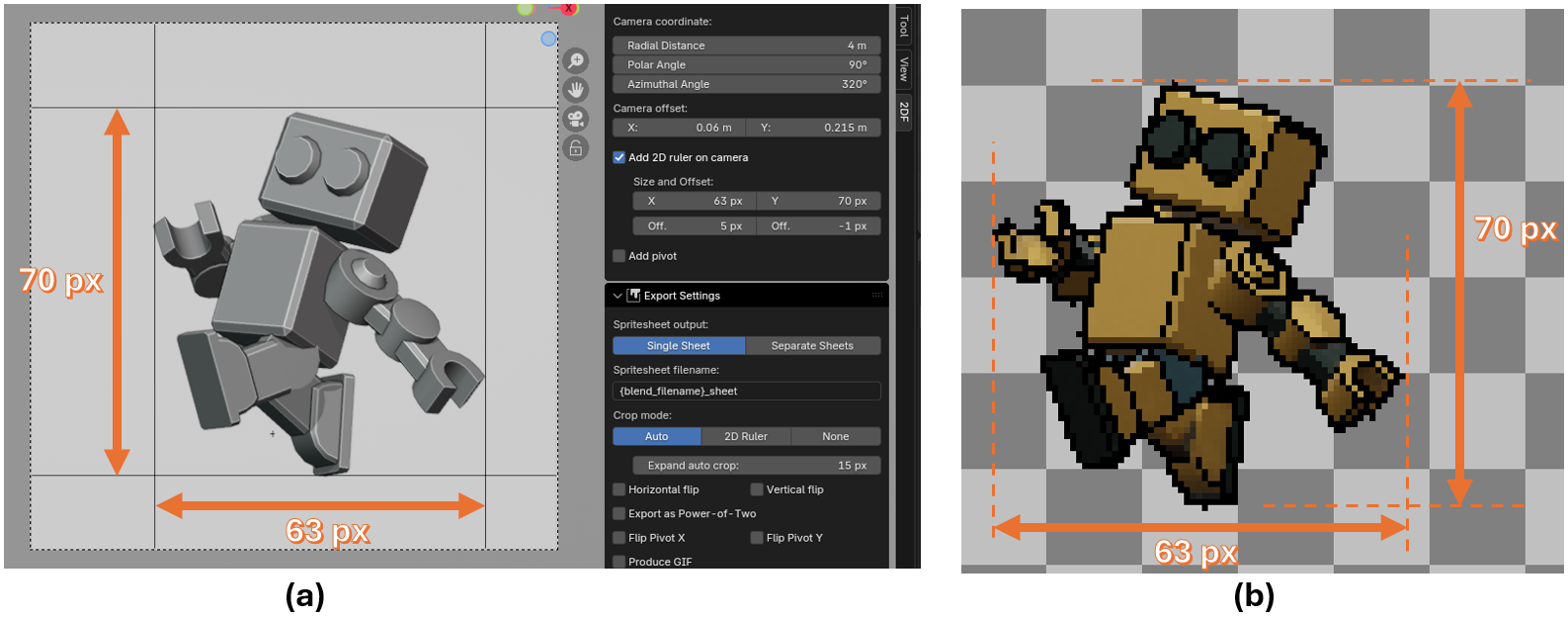
This add on provide a helper tool to measure your sprite pixel size directly in Blender (see Fig. 2), ensuring all your asset stay consistent in size. By enabling it via "Add 2D Ruler" checkbox in the Camera Setup panel, the ruler will be added to the camera frame represented by four black lines. You can then move these lines in X and Y direction via the panel to start the measurement.
Set Custom Pivots with Ease
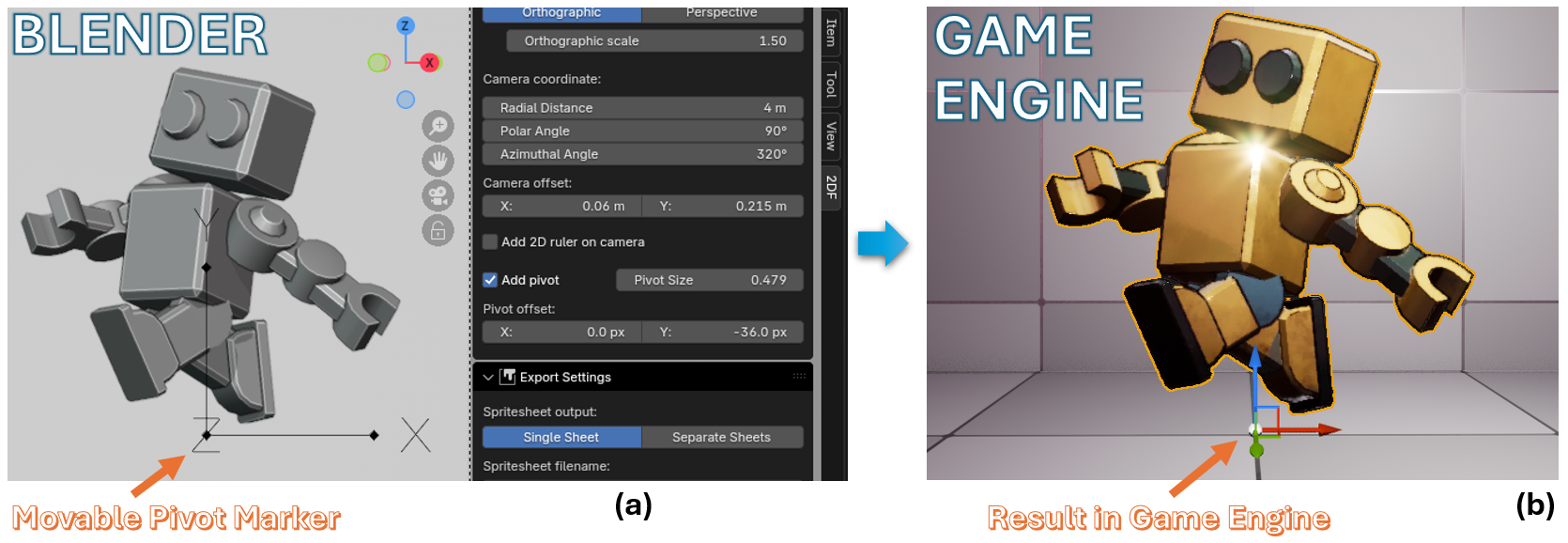
Set the pivot of your sprites visually in Blender—no guesswork. Just move the Pivot Marker, and the values are automatically written into the exported metadata for perfect alignment in your game engine.
Batch Render From Action Queue
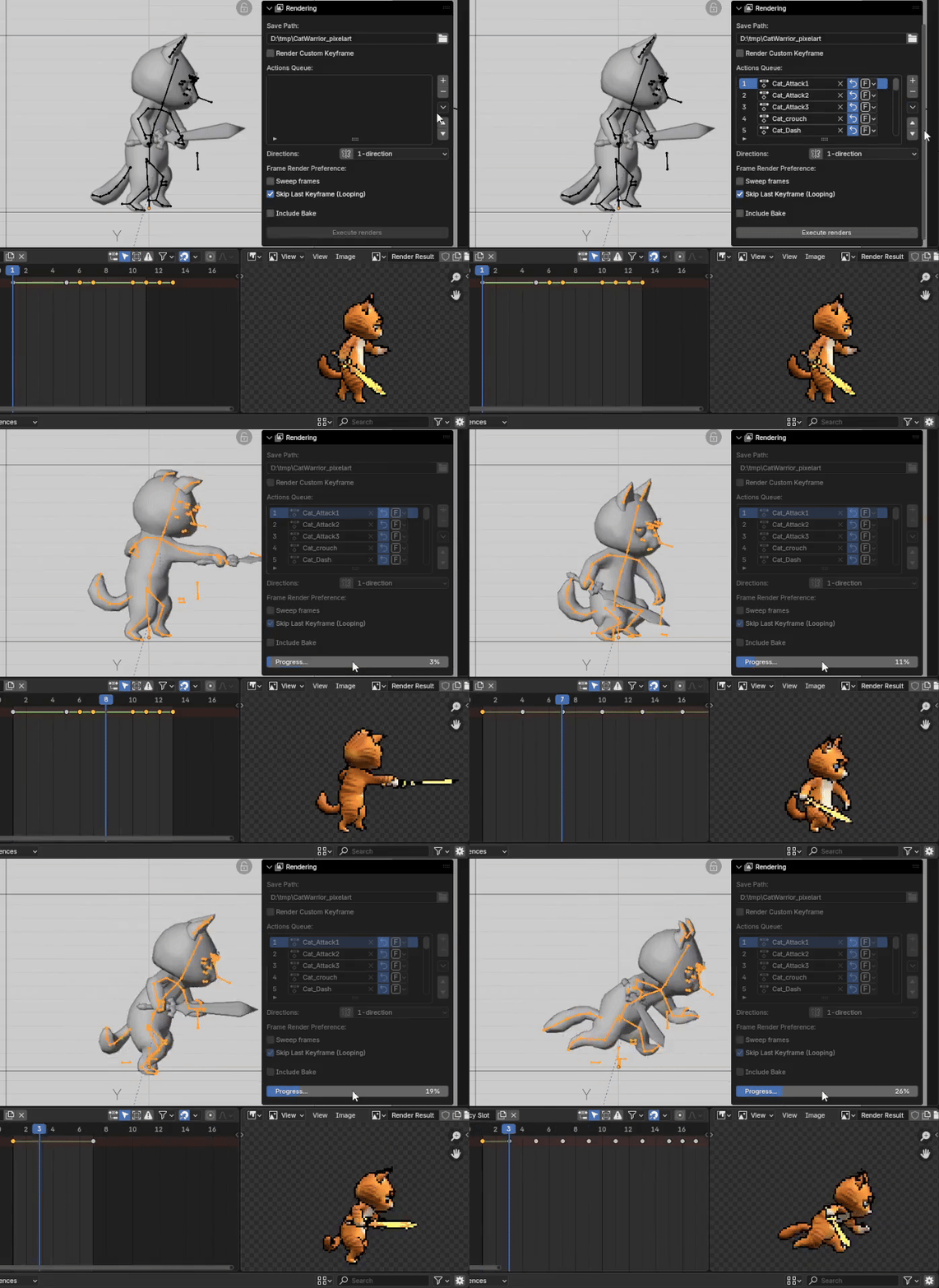
Put all your model's actions in the Action Queue, then hit "Execute Render" button, and let the add-on process everything in one go. No need to render animations one by one—the add-on handles it for you.
Smart Auto-Cropping
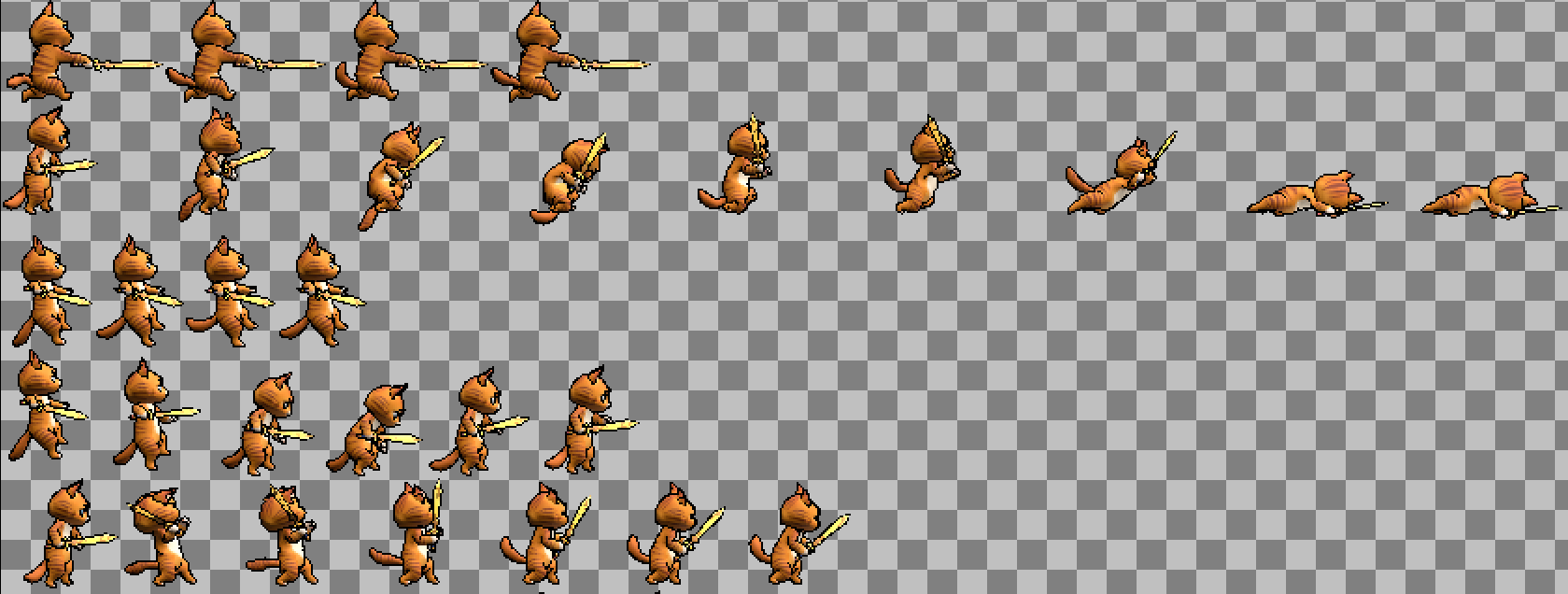
With Auto Crop, you don’t have to constantly resize or zoom your camera to fit the model. Simply set your camera frame large enough to capture the entire animation, and the add-on will trim away any empty space automatically. This keeps your sprite sheets compact and optimized without leaving large transparent areas.
Even better, you don’t need to worry about losing the sprite’s center—your custom Pivot Marker ensures consistent alignment across cropped frames.
Bake Game-Ready Textures
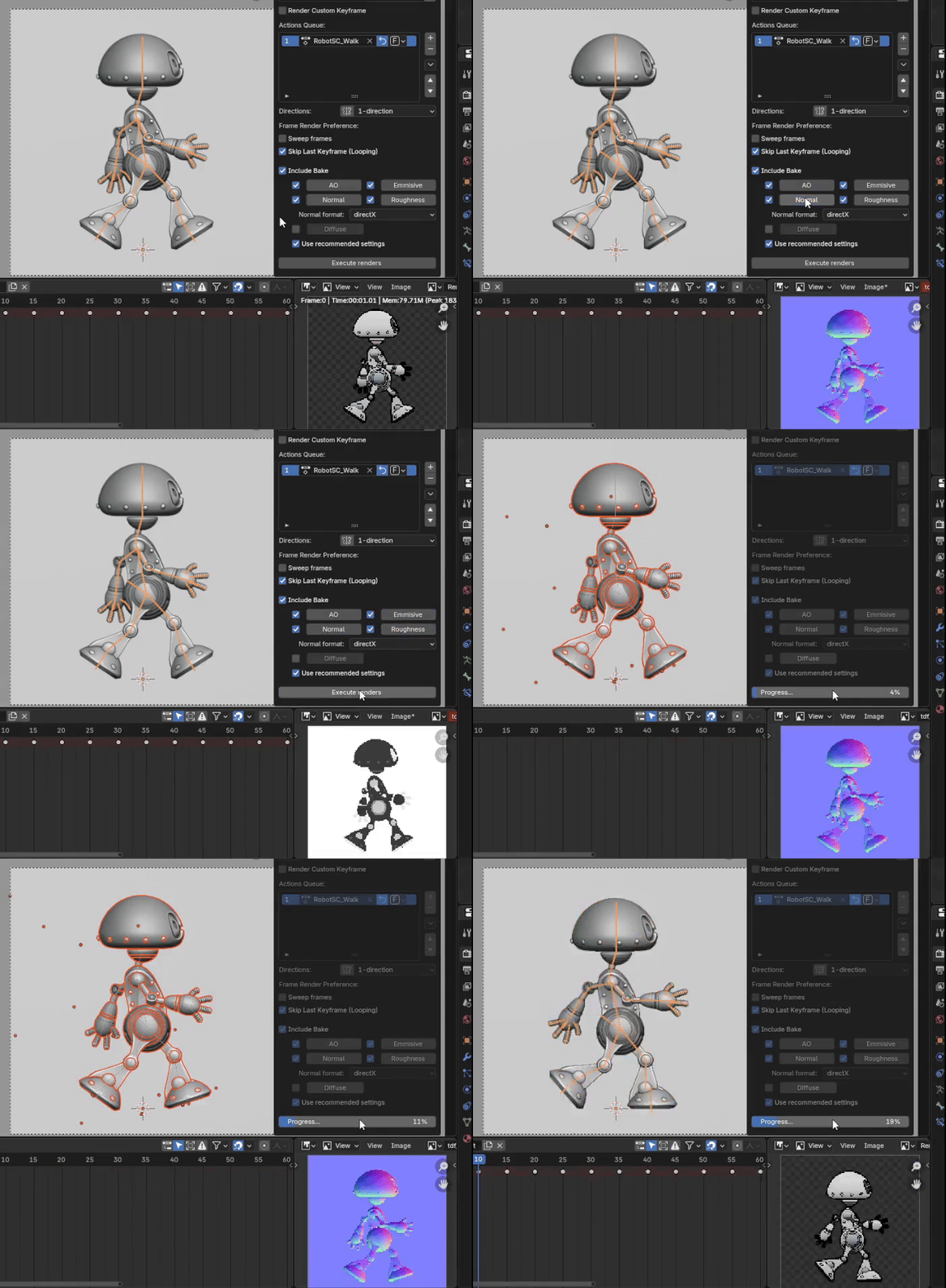
Bring your sprites to life with professional-grade maps baked directly in Blender. With just a few clicks, generate normal, ambient occlusion, roughness, emissive, and diffuse maps — no extra setup needed. These baked textures give your sprites the depth, realism, and polish that make them stand out in-game. Plus, the instant preview button lets you verify results on the spot, saving you time from trial and error.
Multidirectional Rendering Made Easy
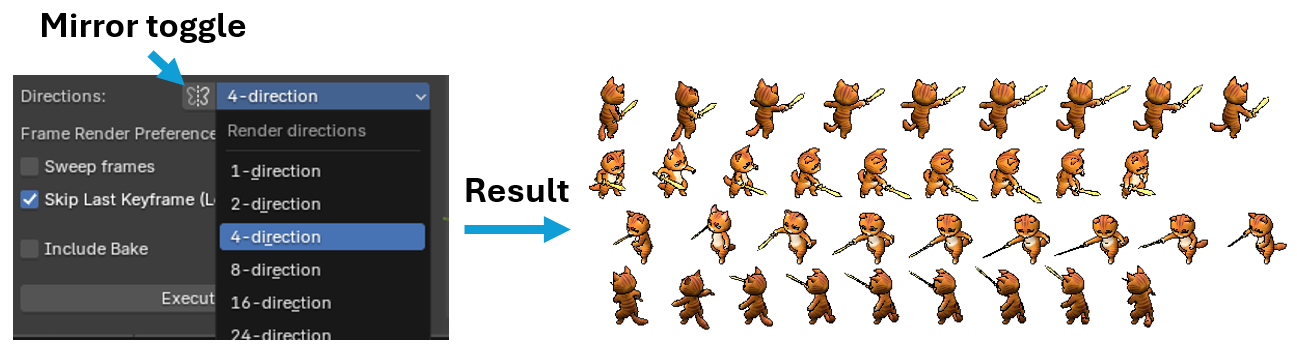
Create multi-directional sprite sheets with a single click. Whether you need 8-direction characters for an RPG, 16-direction vehicles for an RTS, or full 24-direction objects for an isometric or top-down game, the add-on automates the entire process. Simply choose the number of directions and click “Execute Renders”—the add-on will automatically rotate the camera, render each view, and compile the results into clean, ready-to-use sprite sheets.
Flexible Sheet Outputs
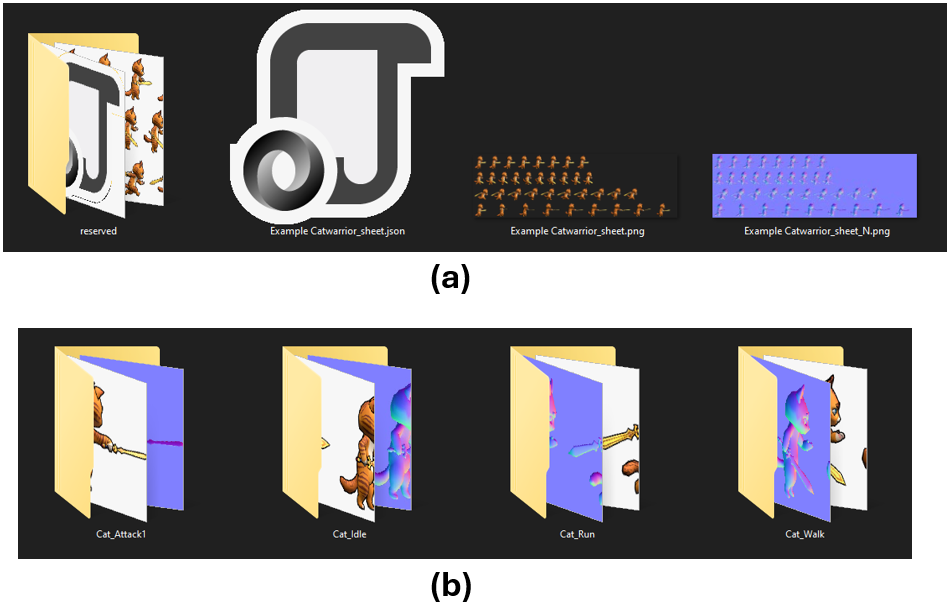
Stop worrying about being locked into one workflow. This add-on lets you export your sprites in two different ways, tailored to your project:
-
Single Sheet: Ideal for pixel art or low-resolution projects. You can render actions one by one, and the add-on will automatically build your sprite sheet progressively, updating the JSON file each time. No need to re-render everything at once.
-
Separate Sheets: Perfect for high-resolution sprites where huge atlases may cause performance issues or engine limits. Each action gets its own sheet, keeping files manageable and game-engine friendly. Included JSON file in each action's folder.
With both options available, you stay flexible — whether you need compact sheets for retro-style games or safe separation for modern HD projects. (See documentation for advanced details and setup.)
Other Features That Save You Time
- Export as Power-of-Two: Ensure your sprite sheets always conform to standard texture sizes. No more manual resizing — get engine-ready sheets every time.
- Generate GIFs Instantly: Preview your animations or share them with your team in a lightweight, looping GIF — perfect for quick reviews or pitching ideas.
- Custom Render Keyframes: Render exactly the frames you want, independent of actions. Just type in your chosen frame numbers, and the add-on will capture the scene accordingly. Perfect for static poses, one-off shots, or any non-action-based animation workflow—no need to rely on predefined actions.
- Free 2DFactory Unreal Engine Plugin: With just one click, it extracts your sheets and auto-creates Flipbooks with pivots and baked textures applied — zero manual setup required.
Compatibility & Upcoming Additions
Compatible with Blender 3.3 LTS through Blender 5.1.
- 2DFactory Unreal Engine Plugin: Ready for Unreal Engine Version: 4.27.2, 5.1.1, and 5.6.1.
Purchase
In order to download this tool you must purchase it at or above the minimum price of $10 USD. You will get access to the following files:
Download demo
Comments
Log in with itch.io to leave a comment.
This is the most feature rich 3D to 2D addon I've come across. Does what it claims and very affordable. You can even render out sprites for character equipment while using the character as a mask! 2D or 2.5D with way less tedium
My only complaint is that it doesn't seem to work on bazzite linux or blender 5.0+ but it's worth working around.
I thank you for your comment.
I plan to update the add-on so that it will support blender 5.0+ in near time.
I will let you know when the update come.
Hi, I have updated the 2DFactory add-on to version 1.2.0.
It is now work with Blender 5.0+, and now work with linux and MacOS (using online install .zip file).
Please check, and please report me if you encounter error, I will fix it.